> ## Documentation Index
> Fetch the complete documentation index at: https://docs-v1.latitude.so/llms.txt
> Use this file to discover all available pages before exploring further.
# Overview
> Learn about the key concepts of Latitude experiments
## What are Experiments?
**Experiments** in Latitude are a feature that let you systematically test, evaluate, and compare different prompt configurations, model versions, and parameters (like temperature) across a dataset. This enables you to find out which prompts and models work best for your use case, using real, measurable results.
***
## How Experiments Work
* **Run Location:**
You can run experiments directly from the Prompt Playground
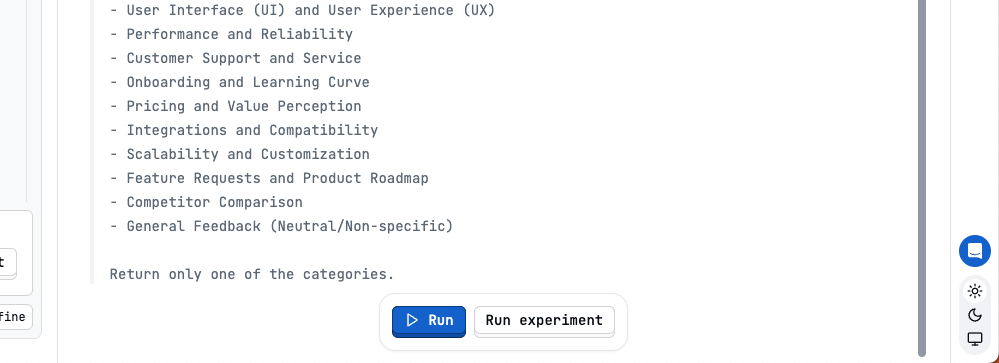 or from a Latitude Evaluation
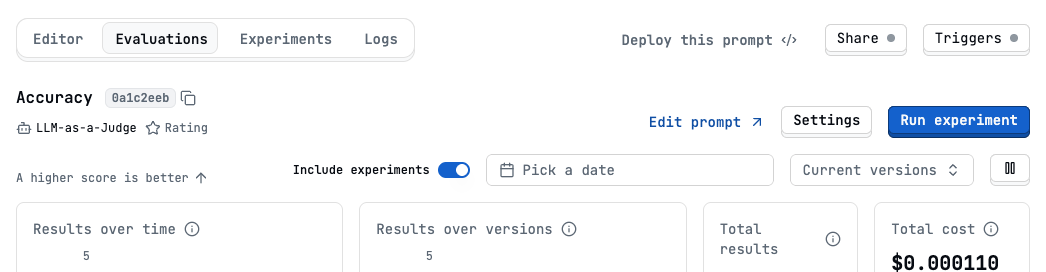 * **Experiments Tab:**
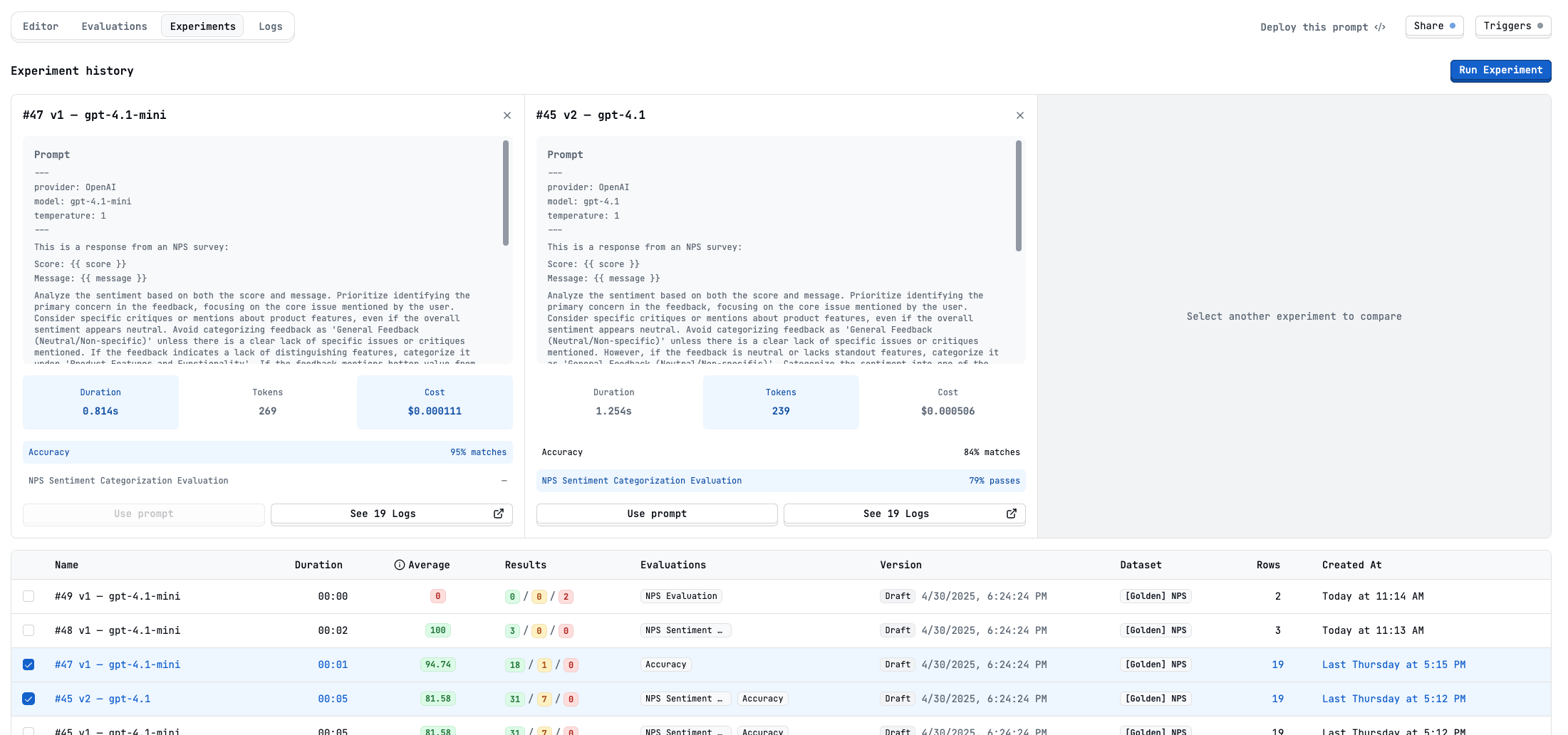
Each prompt in Latitude has an Experiments tab, where you can compare results from different experiments side-by-side.
***
## Experiment Components
* **Prompt Variants:**
Test different prompt wordings, instructions, or templates.
* **Model Versions:**
Compare outputs from different models (e.g., `gpt-4.1`, `gpt-4.1-mini`).
* **Parameters:**
Adjust settings like temperature to influence model behavior.
* **Evaluations:**
Attach evaluation metrics (e.g., accuracy, sentiment analysis) to automatically assess experiment outputs.
***
## Running an Experiment
1. **Define Variants:**
Choose your prompt(s), model, and settings.
2. **Pick Evaluations:**
Select which evaluation metrics to run (optional).
3. **Select Dataset:**
Pick or generate a dataset to use for testing.
* **Experiments Tab:**
Each prompt in Latitude has an Experiments tab, where you can compare results from different experiments side-by-side.
***
## Experiment Components
* **Prompt Variants:**
Test different prompt wordings, instructions, or templates.
* **Model Versions:**
Compare outputs from different models (e.g., `gpt-4.1`, `gpt-4.1-mini`).
* **Parameters:**
Adjust settings like temperature to influence model behavior.
* **Evaluations:**
Attach evaluation metrics (e.g., accuracy, sentiment analysis) to automatically assess experiment outputs.
***
## Running an Experiment
1. **Define Variants:**
Choose your prompt(s), model, and settings.
2. **Pick Evaluations:**
Select which evaluation metrics to run (optional).
3. **Select Dataset:**
Pick or generate a dataset to use for testing.
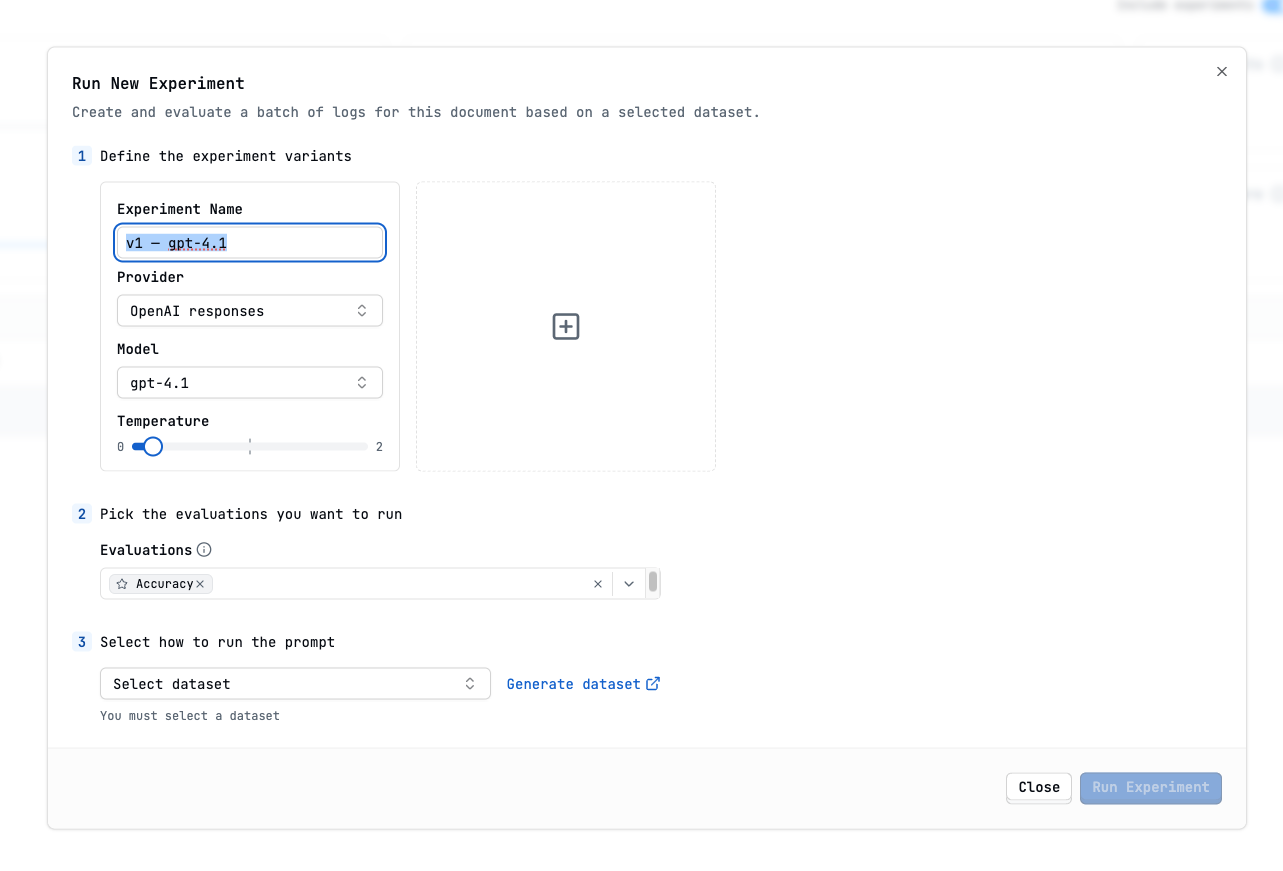 Click **Run Experiment** to execute, and Latitude will process each combination and display the results.
***
## Comparing Experiments
* Use the **Experiments** tab to select and compare multiple experiment runs.
* Review metrics like accuracy, cost, duration, and token usage.
* See detailed results, including logs and evaluation scores, for each experiment.
Click **Run Experiment** to execute, and Latitude will process each combination and display the results.
***
## Comparing Experiments
* Use the **Experiments** tab to select and compare multiple experiment runs.
* Review metrics like accuracy, cost, duration, and token usage.
* See detailed results, including logs and evaluation scores, for each experiment.
 ***
## Benefits
* **Objective Comparison:**
Quickly see which prompts and models perform best on your tasks.
* **Visual Analysis:**
Side-by-side results make differences easy to spot.
* **Cost Tracking:**
Monitor token and cost usage for each variant.
***
## Benefits
* **Objective Comparison:**
Quickly see which prompts and models perform best on your tasks.
* **Visual Analysis:**
Side-by-side results make differences easy to spot.
* **Cost Tracking:**
Monitor token and cost usage for each variant.