> ## Documentation Index
> Fetch the complete documentation index at: https://docs-v1.latitude.so/llms.txt
> Use this file to discover all available pages before exploring further.
# Running Evaluations
> Execute evaluations on datasets or continuously on live production logs.
Once you have defined [evaluation criteria](/guides/evaluations/overview) (LLM-as-Judge, Programmatic Rules), you need to run them against your prompt's logs to generate results. Latitude supports two primary modes for running automated evaluations:
## Running Evaluations on Datasets (Batch Mode)
Batch evaluations allow you to assess prompt performance across a predefined set of inputs and expected outputs contained within a [Dataset](/guides/datasets/overview).
**Use Cases:**
* Testing prompt changes against a golden dataset (regression testing).
* Comparing different prompt versions (A/B testing) on the same inputs.
* Evaluating performance on specific edge cases or scenarios defined in the dataset.
* Generating scores for metrics that require ground truth (e.g., Exact Match, Semantic Similarity).
**How to Run:**
1. Ensure you have a [Dataset](/guides/datasets/overview) prepared with relevant inputs (and `expected_output` columns if needed by your evaluation metrics).
2. Navigate to the specific Evaluation you want to run (within your prompt's "Evaluations" tab).
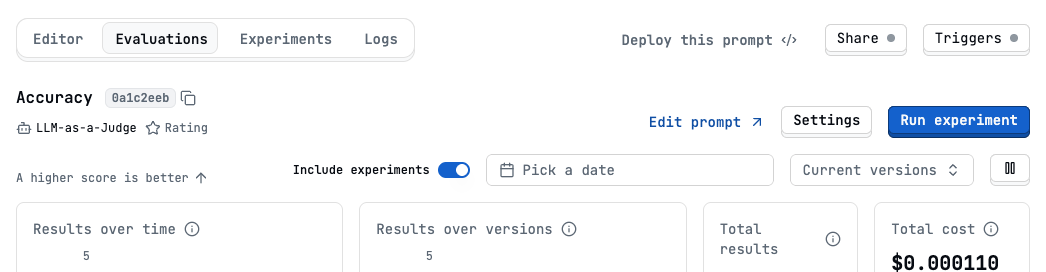
3. Click the "Run experiment" button.
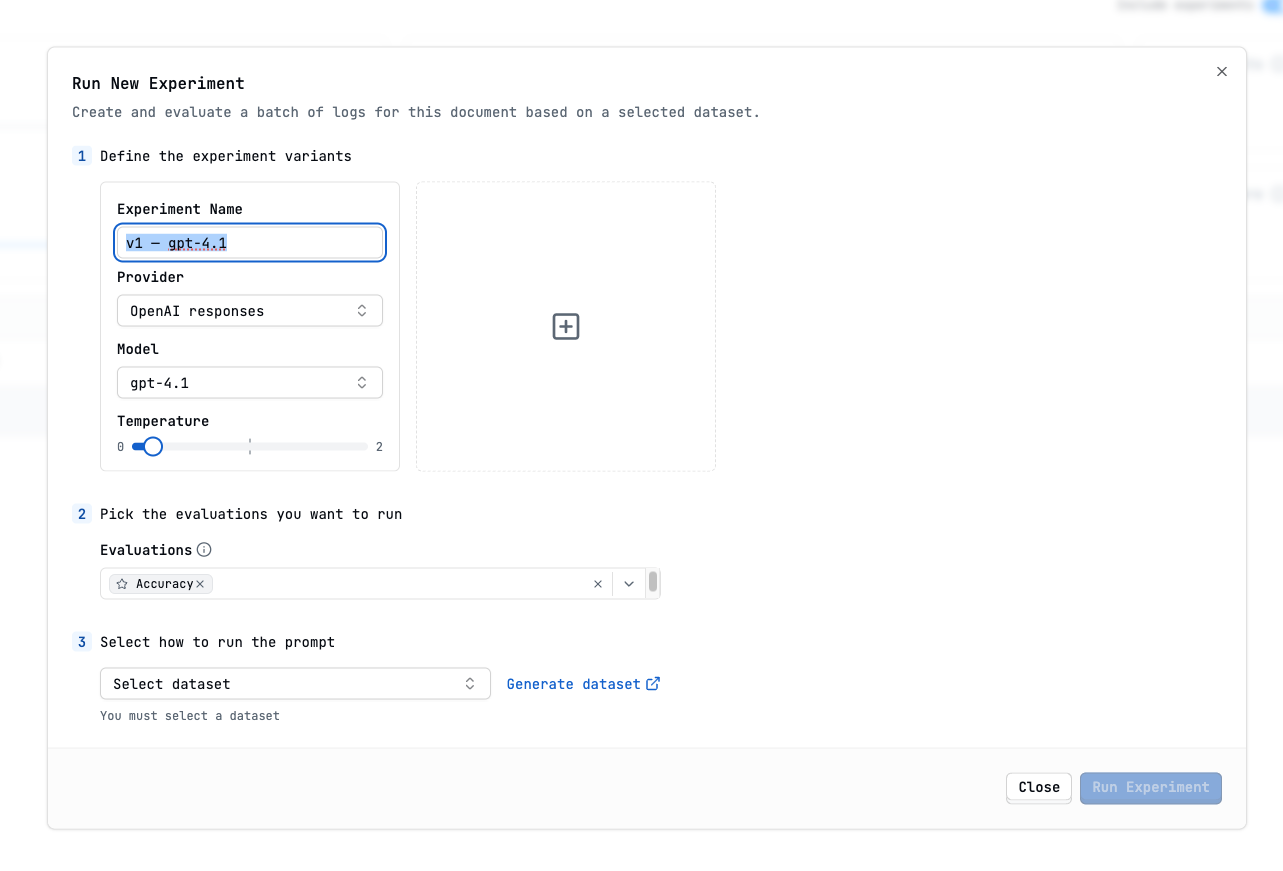
 4. Define the experiment variants
5. Select the Dataset you want to run the experiment against.
4. Define the experiment variants
5. Select the Dataset you want to run the experiment against.
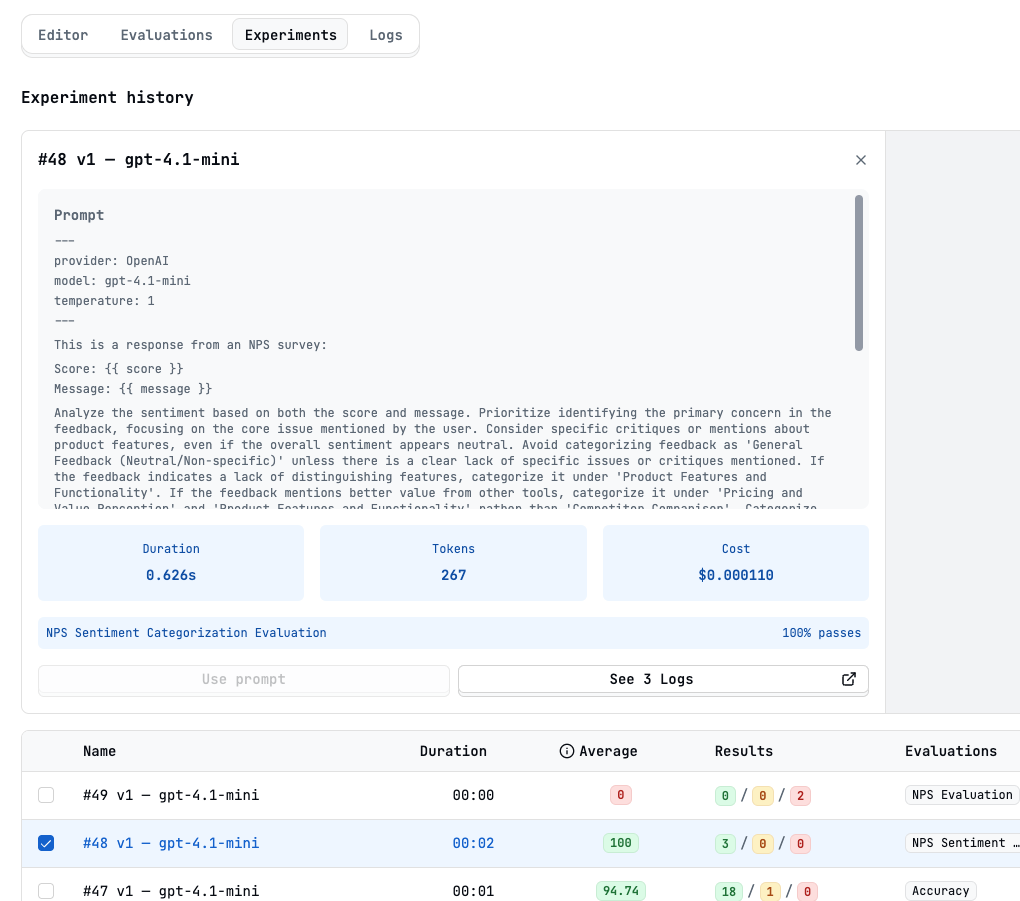
 6. You will be redirected to the experiments tab with the results
 ## Running Evaluations Continuously (Live Mode)
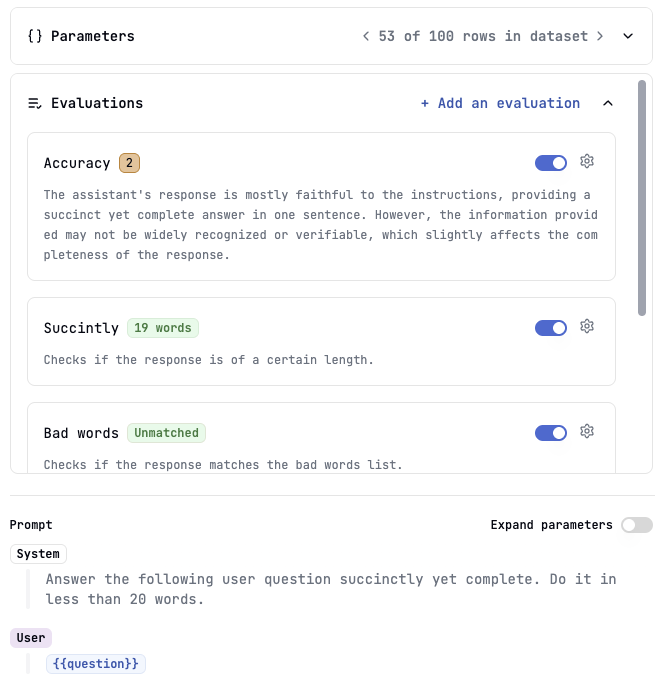
Live evaluations automatically run on *new* logs as they are generated by your prompt in production (via API calls or the Playground). This provides continuous monitoring of prompt quality.
## Running Evaluations Continuously (Live Mode)
Live evaluations automatically run on *new* logs as they are generated by your prompt in production (via API calls or the Playground). This provides continuous monitoring of prompt quality.
 **Use Cases:**
* Real-time monitoring of key quality metrics (e.g., validity, safety, basic helpfulness).
* Quickly detecting performance regressions caused by model updates or unexpected inputs.
* Tracking overall prompt performance trends over time.
**How to Enable:**
1. Navigate to the specific Evaluation you want to run live.
2. Go to its settings.
3. Toggle the "Live Evaluation" option ON.
4. Save the settings.
Evaluations requiring an `expected_output` (like Exact Match, Lexical Overlap,
Semantic or Numeric Similarity...), [Manual
Evaluations](/guides/evaluations/humans-in-the-loop) or [Composite
Evaluations](/guides/evaluations/composite-scores) **cannot** run in live
mode, as they might need pre-existing ground truth or human input.
## Viewing Evaluation Results
Whether run experiments or live mode, results are accessible:
* **Logs View**: Individual logs show scores/results from all applicable evaluations that have run on them.
**Use Cases:**
* Real-time monitoring of key quality metrics (e.g., validity, safety, basic helpfulness).
* Quickly detecting performance regressions caused by model updates or unexpected inputs.
* Tracking overall prompt performance trends over time.
**How to Enable:**
1. Navigate to the specific Evaluation you want to run live.
2. Go to its settings.
3. Toggle the "Live Evaluation" option ON.
4. Save the settings.
Evaluations requiring an `expected_output` (like Exact Match, Lexical Overlap,
Semantic or Numeric Similarity...), [Manual
Evaluations](/guides/evaluations/humans-in-the-loop) or [Composite
Evaluations](/guides/evaluations/composite-scores) **cannot** run in live
mode, as they might need pre-existing ground truth or human input.
## Viewing Evaluation Results
Whether run experiments or live mode, results are accessible:
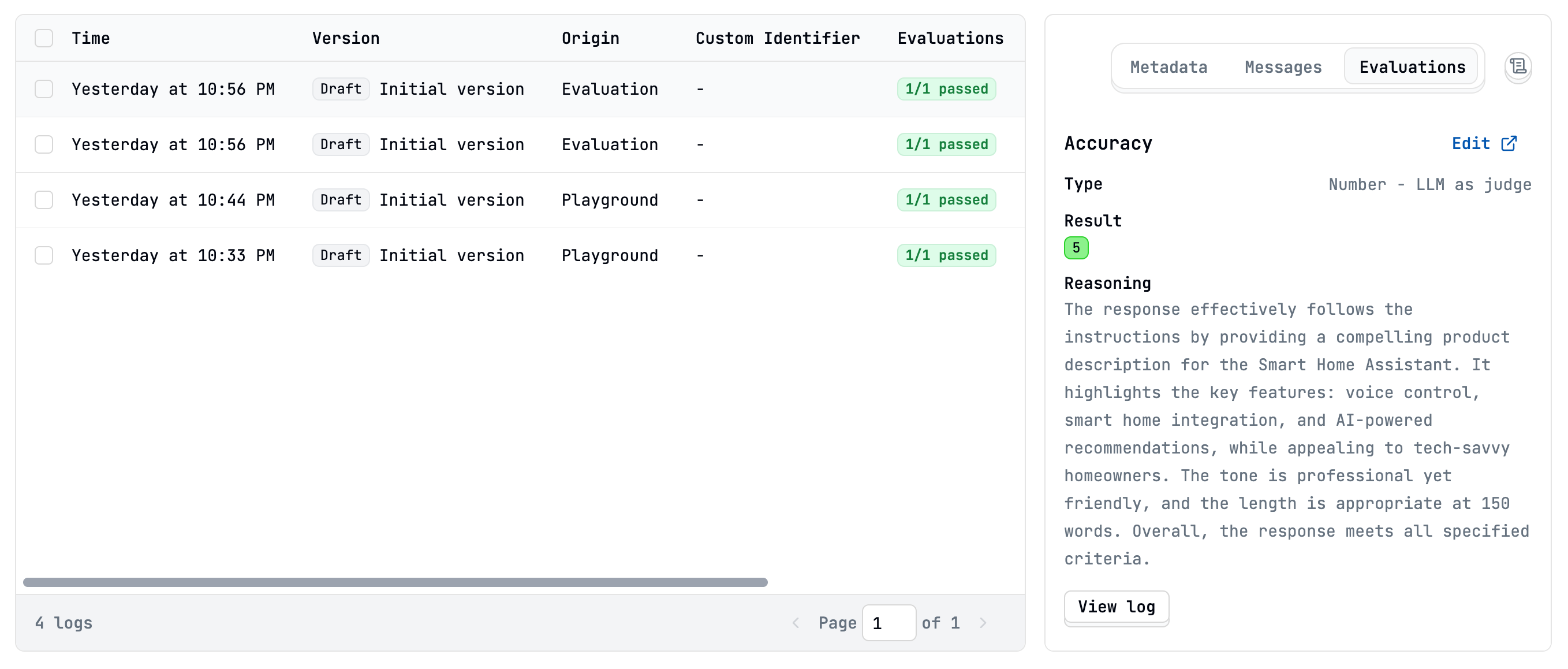
* **Logs View**: Individual logs show scores/results from all applicable evaluations that have run on them.
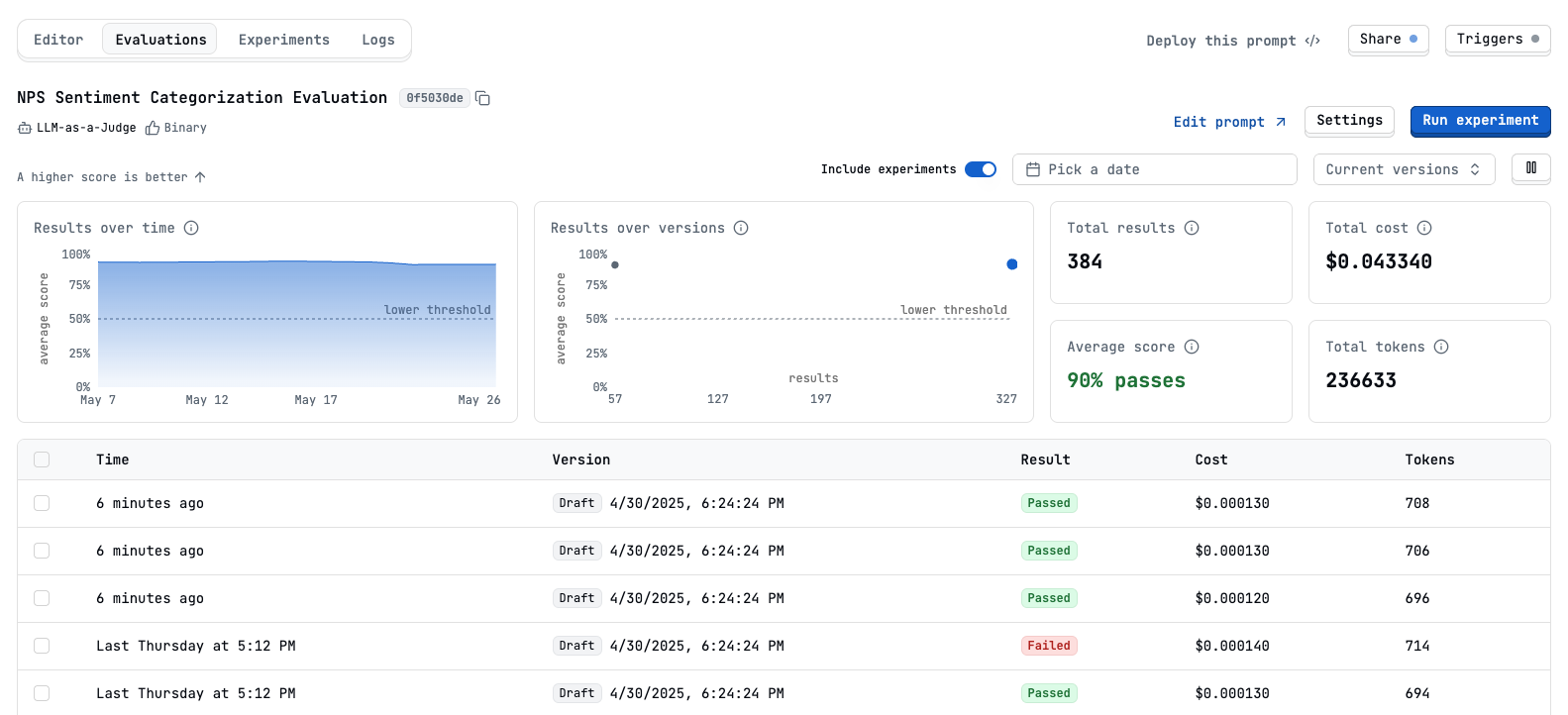
 * **Evaluations Tab (Per Prompt)**: View aggregated statistics, score distributions, success rates, and time-series trends for each specific evaluation.
 * **Experiments**: When you run evaluations as experiments, you can view detailed results, compare different variants
These results provide the data needed to understand performance, identify issues, and drive improvements using [Prompt Suggestions](/guides/evaluations/prompt-suggestions).
## Next Steps
* Learn how to prepare data using [Datasets](/guides/datasets/overview)
* Understand how evaluation results power [Prompt Suggestions](/guides/evaluations/prompt-suggestions)
* Explore the different [Evaluation Types](/guides/evaluations/overview)
* **Experiments**: When you run evaluations as experiments, you can view detailed results, compare different variants
These results provide the data needed to understand performance, identify issues, and drive improvements using [Prompt Suggestions](/guides/evaluations/prompt-suggestions).
## Next Steps
* Learn how to prepare data using [Datasets](/guides/datasets/overview)
* Understand how evaluation results power [Prompt Suggestions](/guides/evaluations/prompt-suggestions)
* Explore the different [Evaluation Types](/guides/evaluations/overview)