> ## Documentation Index
> Fetch the complete documentation index at: https://docs-v1.latitude.so/llms.txt
> Use this file to discover all available pages before exploring further.
# Composite Scores
> Combine the results of multiple evaluations into a single score.
Composite Score evaluations combine multiple existing evaluations into a unified score. This is ideal for measuring overall quality by aggregating various aspects of your prompt's performance, such as combining accuracy, safety, and relevance metrics into one comprehensive assessment.
* **How it works**: Runs multiple existing evaluations and combines their results using different mathematical approaches (average, weighted, or custom formula). Note that sub-evaluations do not create their own results!
* **Best for**: Holistic quality assessment, combining multiple evaluation criteria, creating overall performance metrics, balancing trade-offs between different aspects (e.g., accuracy vs. safety).
* **Requires**: At least two existing evaluations configured on the same prompt. These evaluations can be of any type, even other Composite Scores!
Currently, composite evaluations cannot run in live mode and only support
sub-evaluations that do not require an expected output. Check out the [Running
Evaluations](/guides/evaluations/running-evaluations) guide.
## Setup
Go to evaluations tab on a prompt in one of your projects.
On the top right corner, click on the "Combine evaluations" button.
 Select the evaluations you want to combine. You need to select at least two
evaluations.
Select the evaluations you want to combine. You need to select at least two
evaluations. 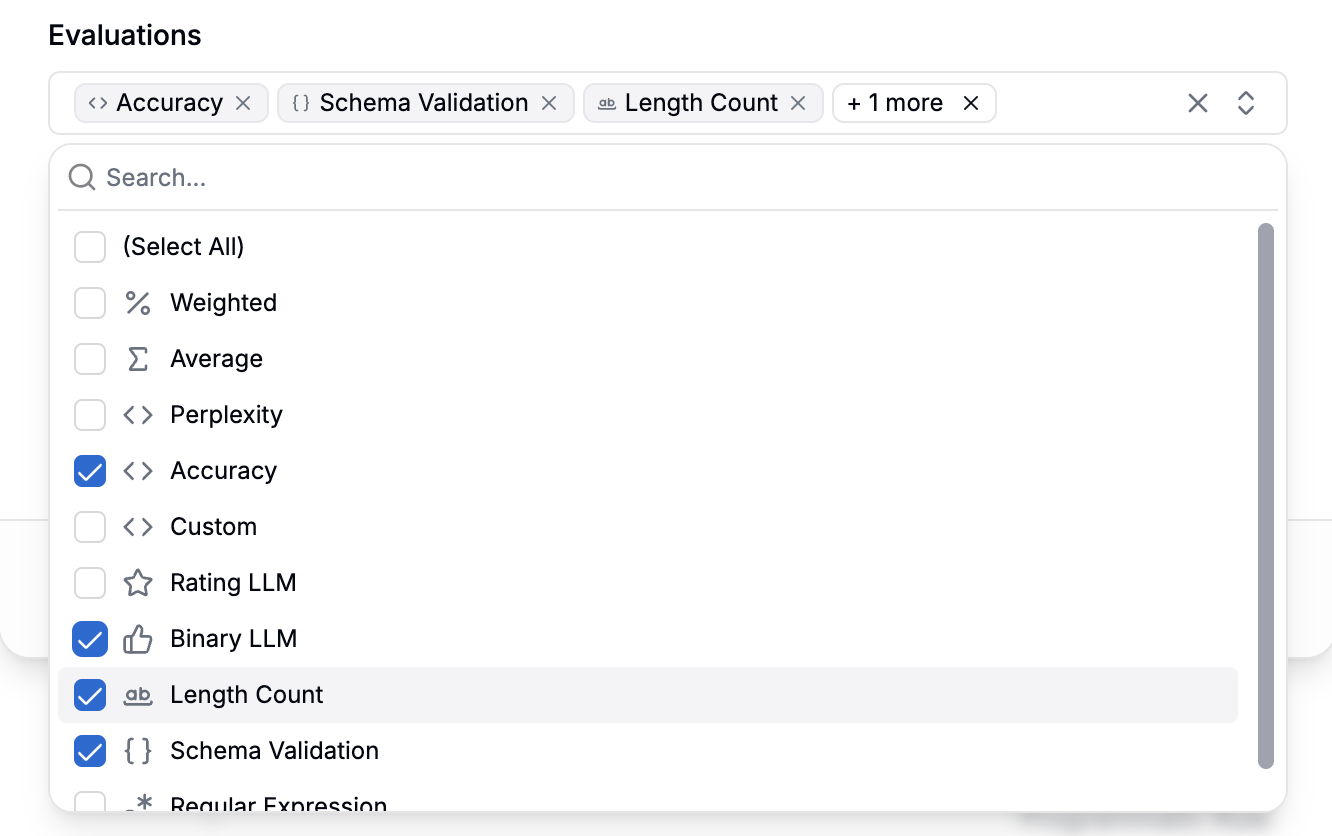 ## Metrics
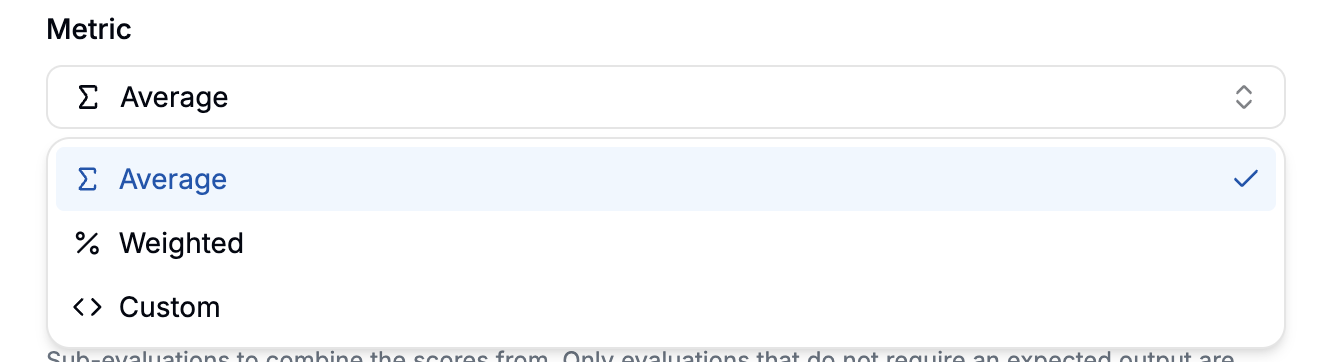
Combines scores evenly. The resulting score is the average.
Combines scores using custom weights. The resulting score is the weighted
blend. Weights are measured in percentage and must add up to 100%.
Combines scores using a custom formula. The resulting score is the result of
the expression. The expression can be a complex mathematical formula.
## Metrics
Combines scores evenly. The resulting score is the average.
Combines scores using custom weights. The resulting score is the weighted
blend. Weights are measured in percentage and must add up to 100%.
Combines scores using a custom formula. The resulting score is the result of
the expression. The expression can be a complex mathematical formula.